
Personal AI connections
Available in:BasicAdvancedTeam
With a personal AI connection you use your own account at an AI provider inside Ludarch: for AI generation in forms, AI tasks, automations and concept images. The provider bills you directly; Ludarch stores no prices or limits — you manage those in your provider account.
Supported providers: OpenAI, Anthropic, Mistral, Google Gemini, an own LLM approved by the operator, Meshy and Tripo (concept images and 3D). GitHub and Gitea tokens for repository exports are set up on the same page.
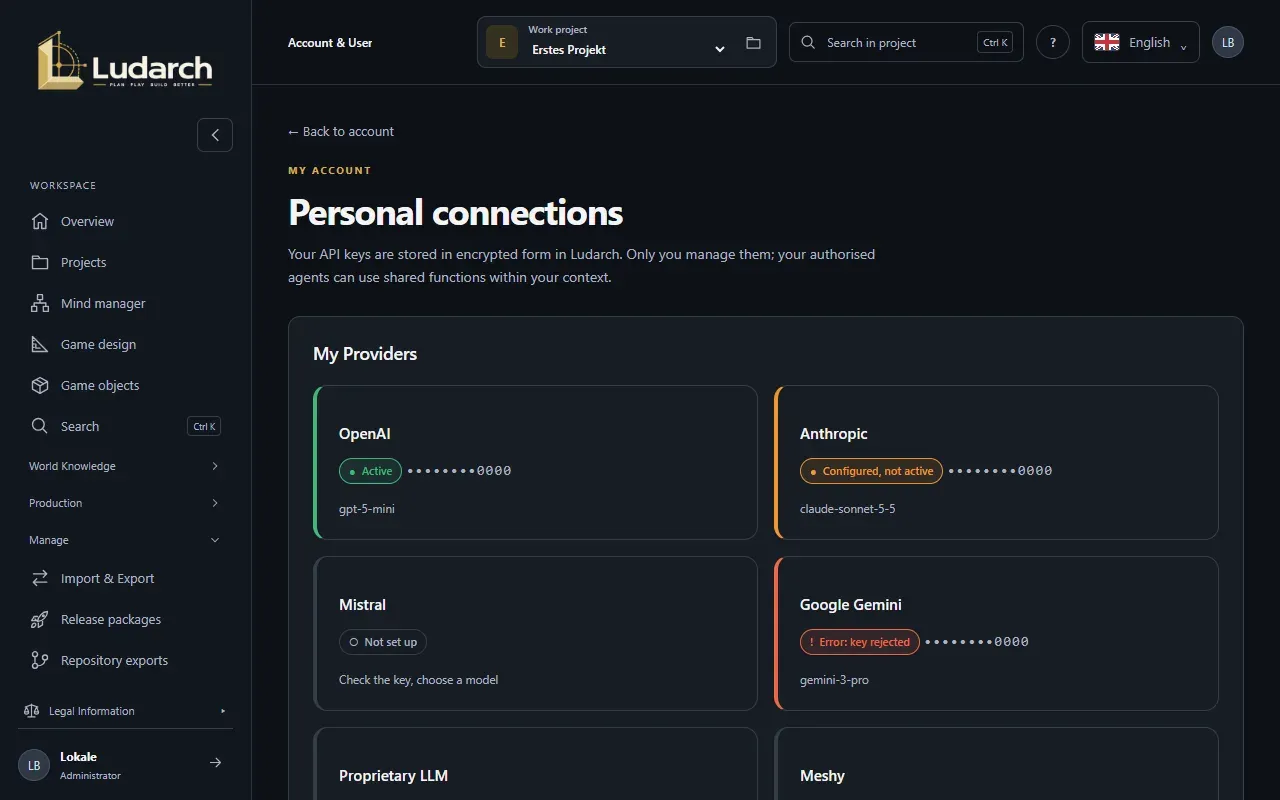
What the colours mean
Section titled “What the colours mean”| Colour | Meaning |
|---|---|
| Green · Active | The key is stored and switched on. |
| Orange · Configured, not active | The key is stored, but the connection is switched off. |
| Grey · Not set up | No key yet. |
| Red · Error | The provider rejected the key or could not be reached. Check the key in your provider account and save it again. |
Ludarch checks stored keys in the background at most once an hour. The check is a free read request to the provider.
Connect a provider
Section titled “Connect a provider”- In the sidebar choose Manage → Account & User and click Personal AI and Git integrations. Then click the provider card, for example OpenAI.
- Paste your API key into API key.
- Click Check and load models. Ludarch asks the provider whether the key works and loads the models your key can use right now.
- Choose a model under Model.
- Leave Connection active ticked — it is ticked automatically when you enter your first key.
- Click Save.
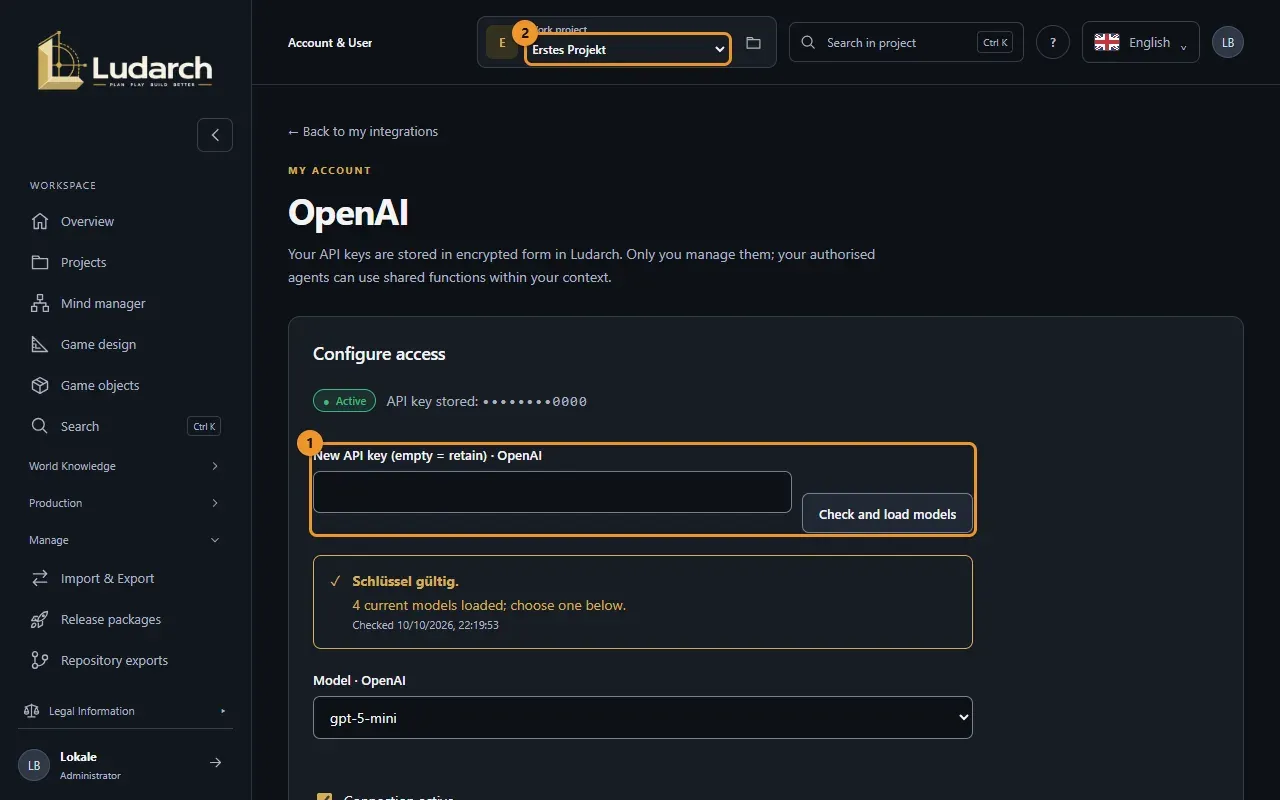
Change the model later
Section titled “Change the model later”Open the provider again. Ludarch loads the current models with your stored key straight away, so you do not have to enter the key again. Pick another model and click Save. If your key no longer offers the saved model, a notice asks you to choose a current one.
Switch off or remove a key
Section titled “Switch off or remove a key”- Untick Connection active and save to pause the connection without deleting the key.
- Remove key deletes the stored key; the connection is then switched off.
Provider notes
Section titled “Provider notes”- Meshy: there is no model list to load. Choose one of the supported 3D models, or Concept images only.
- Tripo: Ludarch recognises from the key whether it belongs to Tripo international or Tripo China.
- Own LLM: first choose the server approved by your operator, then check the key.
In a Team studio your administrator may switch off personal AI for a project; it is then not offered there. Your operator can also switch personal AI off for the whole installation.