
Import and export
Available in:BasicAdvancedTeam
Under Manage → Import & Export you bring existing texts into the project or take your content with you. Every import shows a preview first; nothing is added until you confirm.
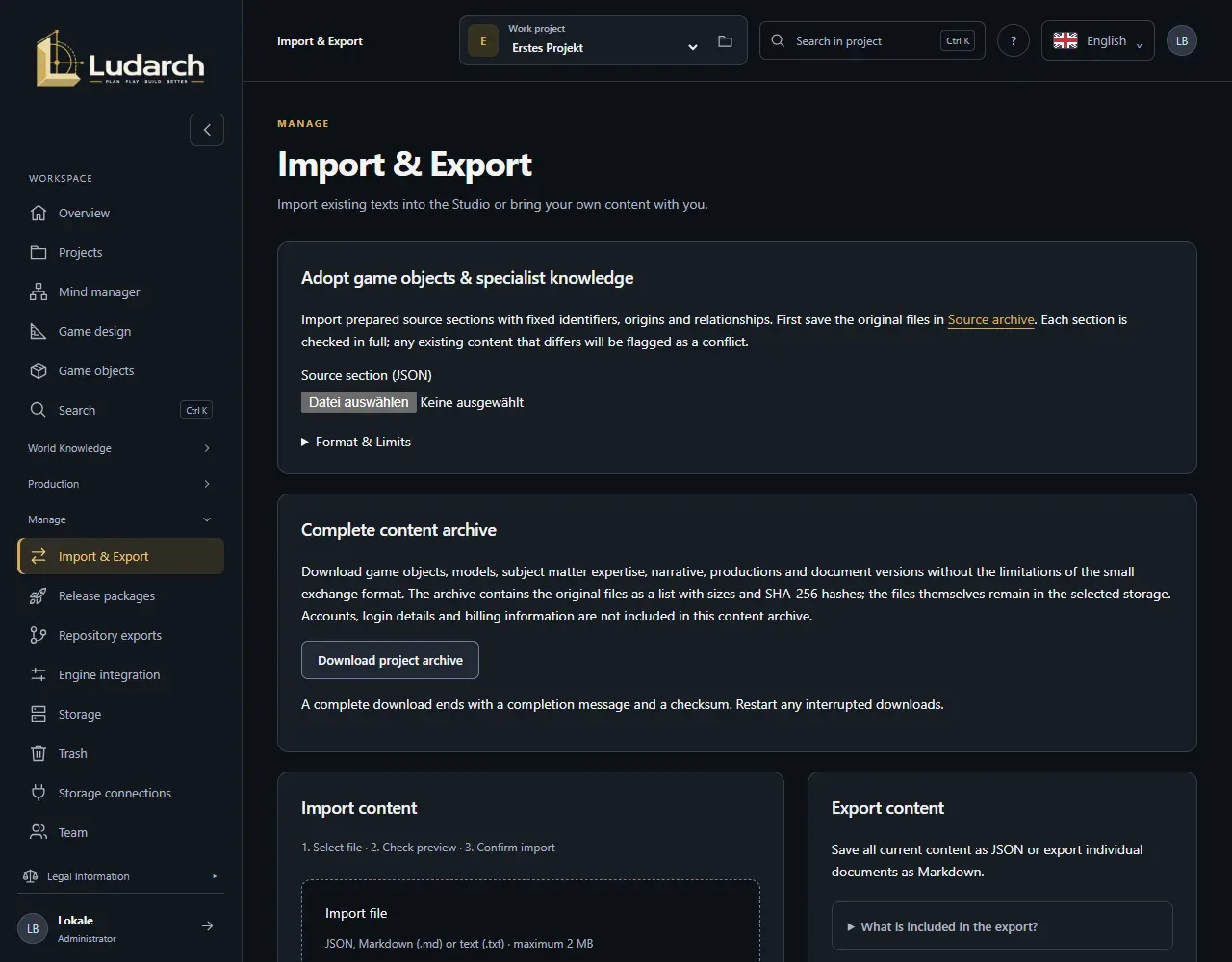
Import content
Section titled “Import content”- In the Import content area, choose a JSON, Markdown (.md) or text file (.txt) of up to 2 MB under Import file.
- Ludarch shows the Import preview straight away: every entry with its type and result — Create new, Skip or Conflict.
- Check the preview and click Import verified entries.
- JSON keeps IDs and relationships — for cultures, documents, tasks and their relationships. Up to 500 objects and 1,000 relationships per file.
- Markdown and text files each become a new document. The file may contain headings, lists and simple formatting, but no images, HTML or links.
- Identical entries are skipped. An entry with the same ID but different content appears as a Conflict and is not overwritten.
You need write access to import.
Export content
Section titled “Export content”- In the Export content area, click Prepare for export.
- Click Download JSON. The file contains the cultures and documents as well as the tasks of this project — without history and user accounts.
To download a single document as Markdown, choose it under Document for Markdown export and click Download Markdown.
Bring in game objects and expertise
Section titled “Bring in game objects and expertise”You bring in larger collections of sources section by section:
- First store the original files in the source archive.
- Under Source section (JSON), choose a section (up to 1.75 MB and 100 entries).
- Check the preview: Create, Update, Already available or Conflict.
- Click Apply reviewed section.
Each section is saved on its own. After an interruption, simply repeat the same section. Content changed by hand is not overwritten but reported as a conflict.
Full content archive
Section titled “Full content archive”Download project archive downloads all of the project’s content in one file: game objects, object model, expertise, narrative, productions and document versions. Original files are listed with their size and checksum; the files themselves stay in your storage. Accounts, login details and billing are not included.
A complete download ends with a final line and a checksum. If the download was cut off, start it again.