Cultures
Available in:BasicAdvancedTeam
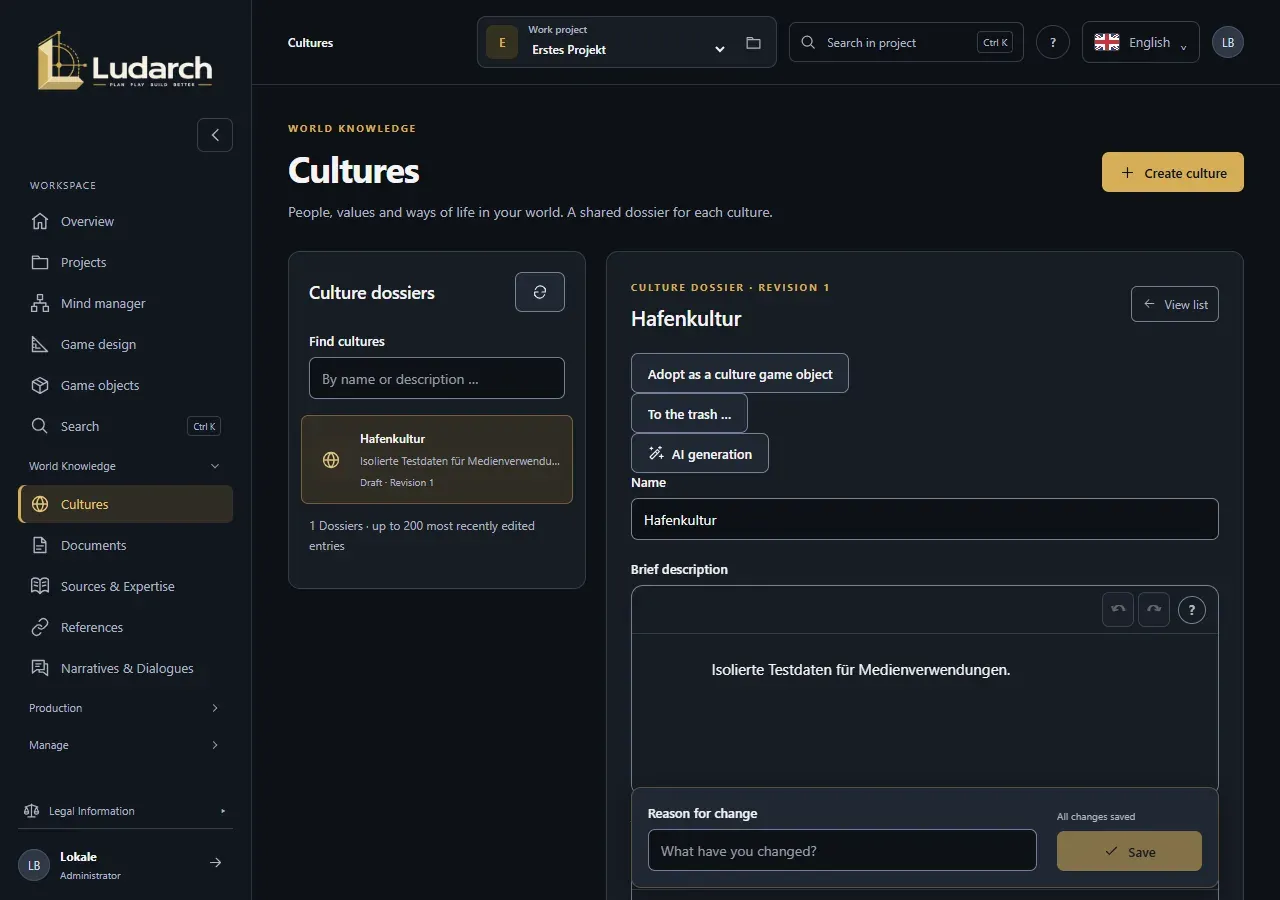
Under World Knowledge → Cultures you describe the people, values and ways of life in your world. Each culture has one shared Culture Dossier that the whole team works on. Every save is kept as a new revision.
The Cultures entry appears when the project has ticked the area World Knowledge & Cultures under Sections in the navigation (see Projects).
Create a culture
Section titled “Create a culture”- Click Create a culture.
- Enter the Name and, if you like, a Brief description.
- Describe the culture in Values & Traditions, Society & Order and Daily life & lifestyle. Use + or / to insert headings, lists and tables.
- Click Save. Ludarch reports Revision 1 saved. and the dossier stays open.
Edit a dossier
Section titled “Edit a dossier”- Choose a culture on the left under Culture dossiers. Use Find cultures to search by name or description.
- Change the fields.
- Under Reason for change, write what you changed. This field is required.
- Click Save.
The status line next to the button shows Unsaved changes or All changes saved. If you switch to another dossier with unsaved changes, Ludarch asks first.
Classification and editorial status
Section titled “Classification and editorial status”Under Classification & editorial status you record how binding a dossier is:
| Field | Values |
|---|---|
| Knowledge type | Author’s knowledge, In-world belief, Rumour, Deception, Undecided idea |
| Editing | Draft, In progress, Finalised |
| Verification | Unverified, Under review, Checked |
| Canon status | Undecided, Proposed canon, Canonical, Non-canonical |
These are editorial notes for your team. They do not unlock or lock anything.
Compare and restore revisions
Section titled “Compare and restore revisions”- In the dossier, click View history. The table lists every revision with its editor, time and reason for change.
- Click Compare revision N to see field by field what changed.
- To bring back an older version, enter a Reason for restoration, click Restore as a new revision and then Confirm restoration.
Restoring creates a new revision. The existing history is kept in full.
When someone else saves at the same time
Section titled “When someone else saves at the same time”If someone else has saved the dossier in the meantime, Ludarch reports a Save conflict. Your input is kept. Click Load current server state, compare the differences and choose Keep editing my changes on the new version or Apply server version.
Links to game objects and tasks
Section titled “Links to game objects and tasks”At the bottom of the dossier you see which game objects use the culture, which tasks are linked to it and which workflows are running. Create a task for this object opens a new task that refers to the dossier.
Adopt as a culture game object
Section titled “Adopt as a culture game object”If your culture also appears in the game, you can turn the reviewed dossier into a game object. You need the right to manage game objects.
- Save all changes and click Adopt as a culture game object.
- Read the explanation in the dialog and click Apply the reviewed dossier.
Ludarch creates a culture game object, which from now on is the only editable version. The dossier is kept as the original source and becomes read-only.
Remove a culture
Section titled “Remove a culture”To the trash … moves the dossier to the trash. You can restore it from there with all its revisions.