
AI generation in forms
Available in:BasicAdvancedTeam
Many forms in Ludarch have an AI generation button: cultures, documents and tasks, game objects, sources & expertise, references, narrative and creative work, and the cards of the mind manager. You describe what you want in a sentence or two; Ludarch sends your request together with the form fields and the current values to an AI and shows the proposal. Nothing is saved until you save the form yourself.
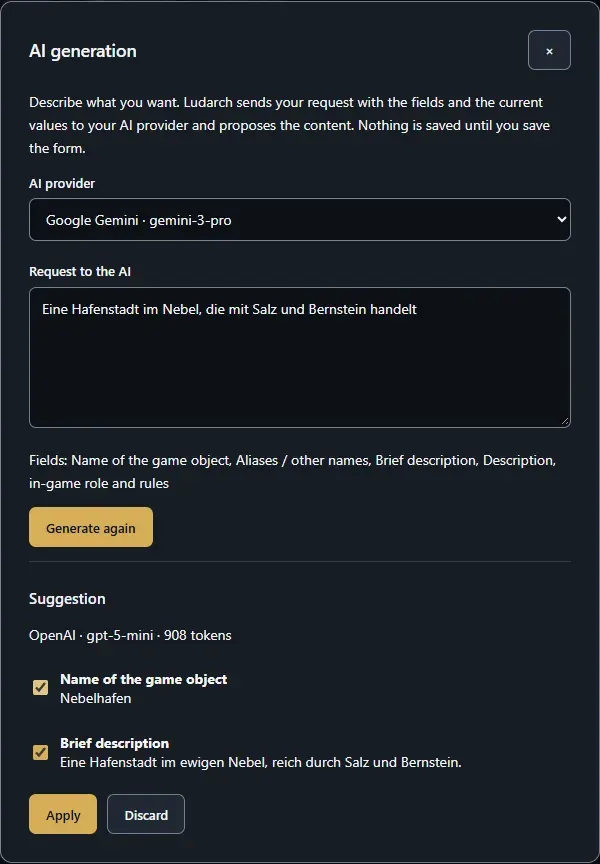
Use AI generation
Section titled “Use AI generation”- Open a form, for example a new game object, and click AI generation.
- If you have several AI connections, choose one under AI provider.
- Describe what should be created under Request to the AI — for example A harbour town in the fog, trading in salt and amber.
- Click Generate.
- Under Suggestion, tick the values you want to keep and click Apply. Generate again asks for a new proposal; Discard closes without changes.
- Check the form and save it as usual.
What you need
Section titled “What you need”- An AI connection: your own key under Personal AI connections, or a key the project team shares under Project AI access.
- The right to create or change entries in that area. Readers do not see the button.
Calls with your own key are billed by the provider directly to you. Calls with a project key count against the optional monthly token budget of the project.