
References
Available in:BasicAdvancedTeam
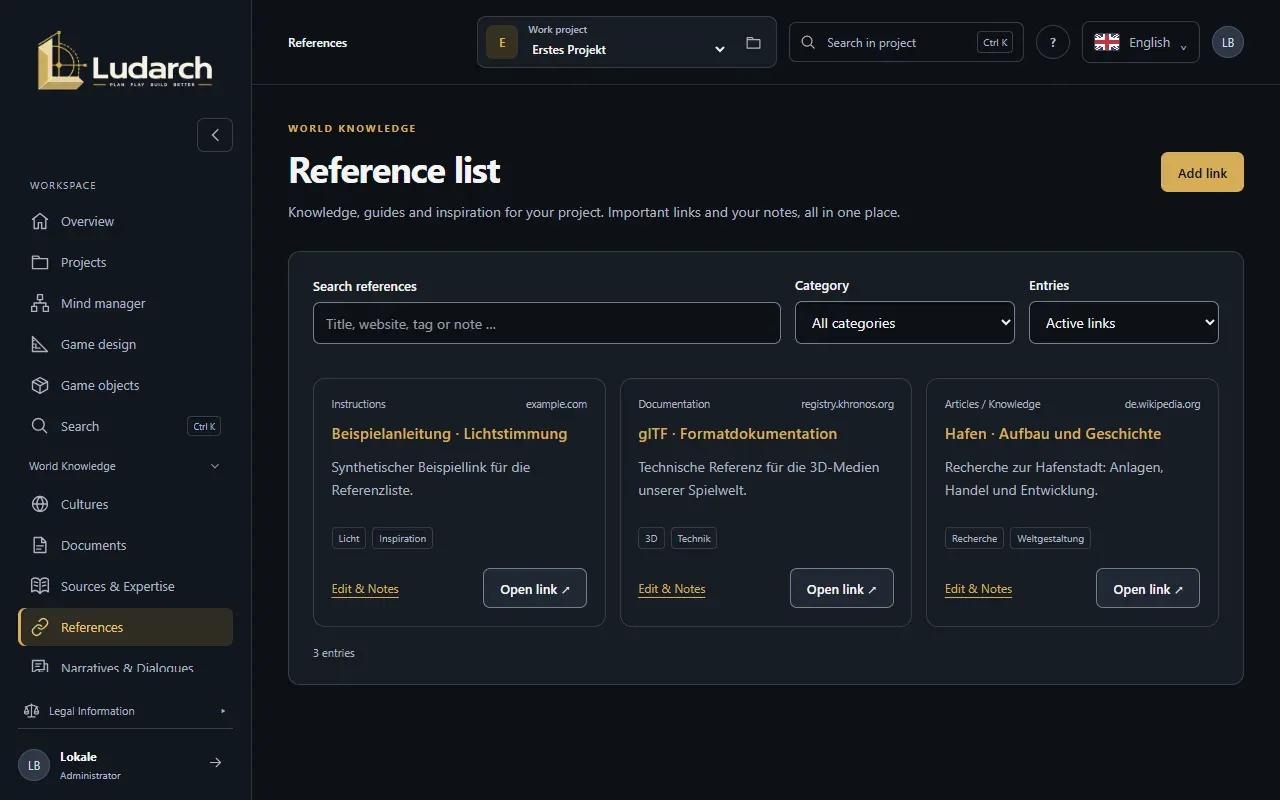
The Reference list under World Knowledge → References collects the links your project needs: Wikipedia articles, YouTube videos, guides, documentation and inspiration — each with your notes on what you need it for.
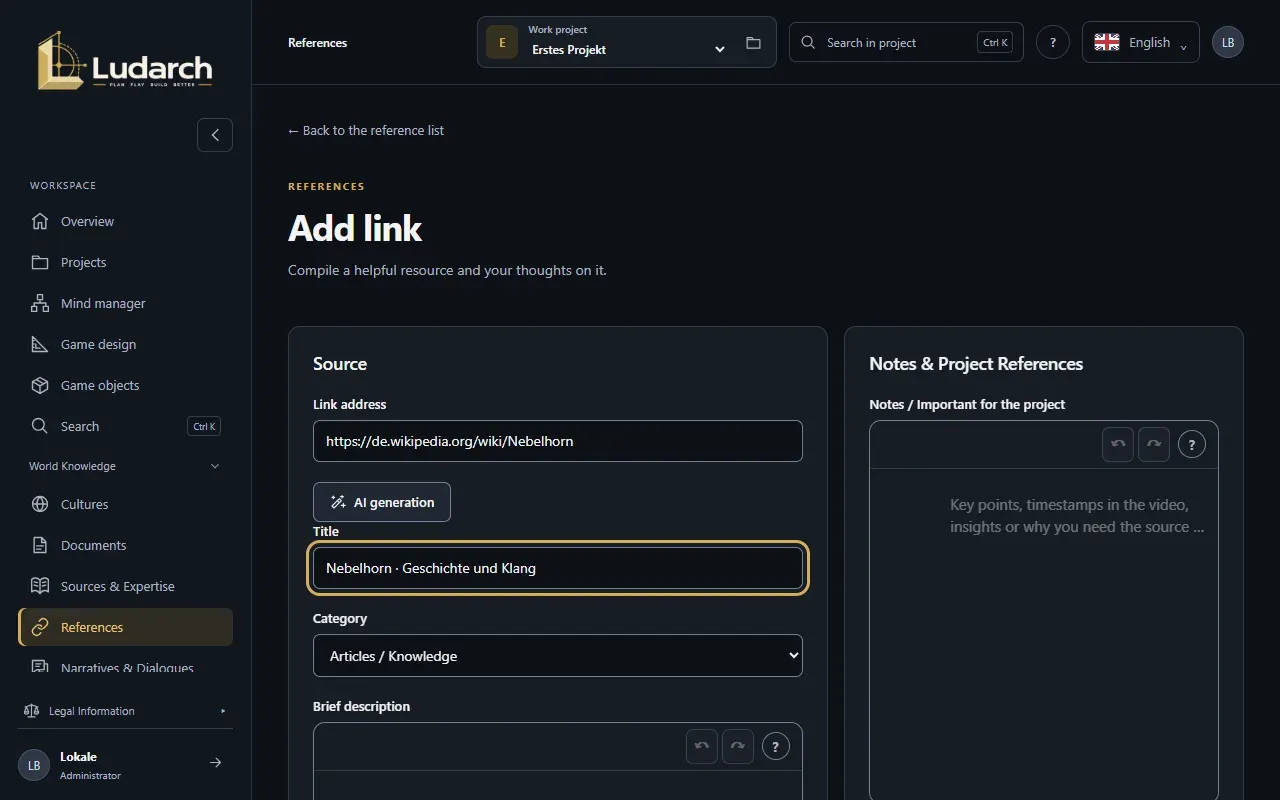
Add a link
Section titled “Add a link”- Click Add link.
- Paste the Link address. For YouTube and Wikipedia, Ludarch picks the category automatically.
- Enter a Title, check the Category and add a Brief description and Tags (separated by commas).
- Under Notes / Important for the project, write down what matters — key passages, timestamps in the video or insights.
- Under Object references, link the game objects, cultures or documents the link belongs to.
- Click Save & back to reference list — or Save & add another link to add the next one straight away.
Open source in a new tab ↗ lets you check the link without leaving the form.
Find references
Section titled “Find references”Search the list with Search references by title, website, tag or note, and filter by Category: Articles / Knowledge, Video, Instructions, Documentation, Inspiration or Miscellaneous. Every card has Edit & Notes and Open link ↗.
Archive and reactivate
Section titled “Archive and reactivate”Move links that are no longer relevant to the archive with Archive and Confirm archiving. Notes, versions and links are kept. You find them again under Entries → Archived links and bring them back with Reactivate.
Versions
Section titled “Versions”The Versions tab shows every saved version. View version N shows the changes. Apply as draft loads an old version into the form — it is only saved when you save.