Overview
Available in:BasicAdvancedTeam
Overview is the start page of the project you are working in. It shows at a glance where the project stands and takes you straight back to your work.
What you see
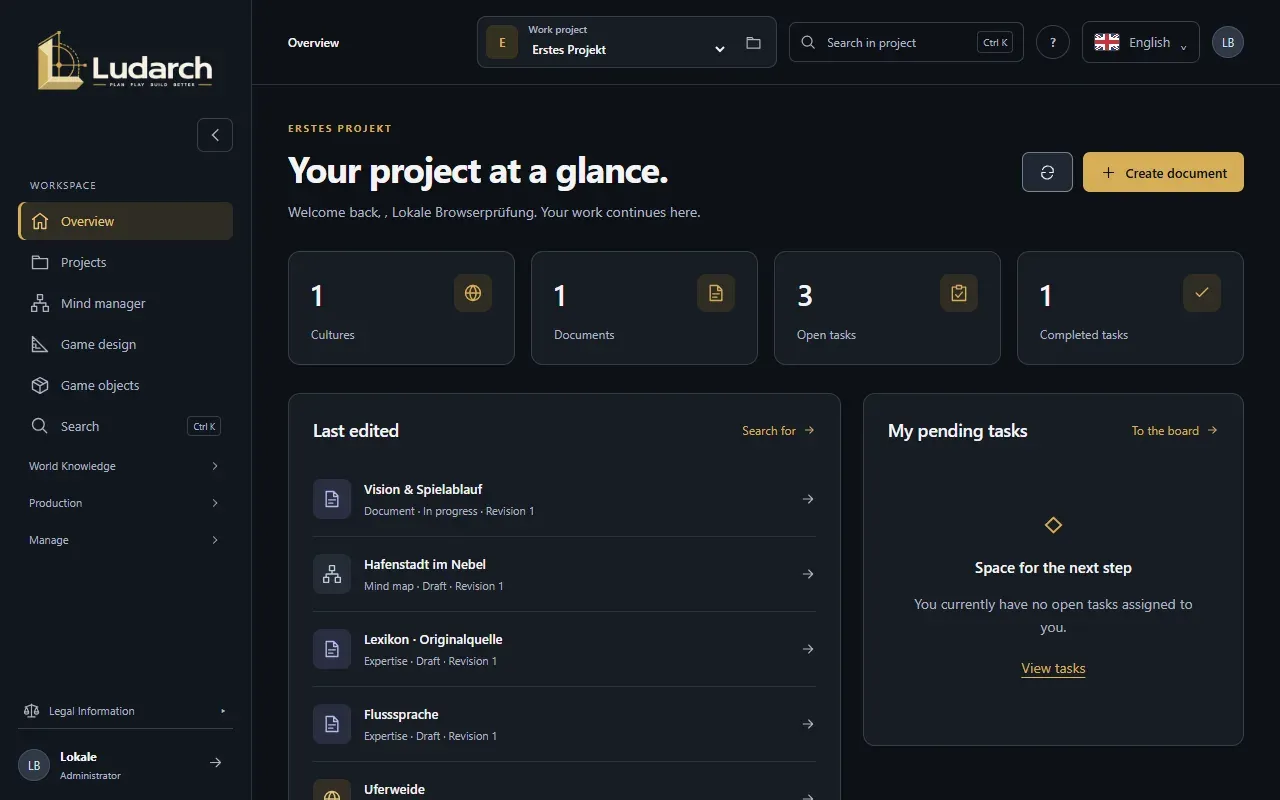
Section titled “What you see”- Counters for Cultures, Documents, Open tasks and Completed tasks. Click a counter to open that list.
- Last edited — the most recently changed content with type, status and revision. Click an entry to open it; Go to search takes you to the full search.
- My pending tasks — tasks assigned to you. Go to the board opens the Kanban board.
- AI access — which AI services the project team shares. Project administrators also see Manage (see Project AI access).
- What would you like to document next? — quick links to Create a culture, Create a task and Import content.
The button Create document at the top right starts a new document, and the round arrow refreshes the overview.